

One of the big differences between the Mac and Apple’s other platforms is that, by design, it’s an old-school “general computing” platform—you can install and run whatever software you want, from any source.
That’s a good thing. It’s what makes the Mac the Mac. But it also makes the Mac more vulnerable than Apple’s other platforms, where the company can strictly limit what software is allowed to run on the device behind layers of developer memberships, code signing, scanning, and App Store approval.
For the last decade or more, as the Mac has become more popular, Apple has been trying to ratchet up Mac security. But because the Mac is open, securing it brings some unique challenges, as I found out when I got a chance to discuss these issues with some members of Apple’s security team recently.
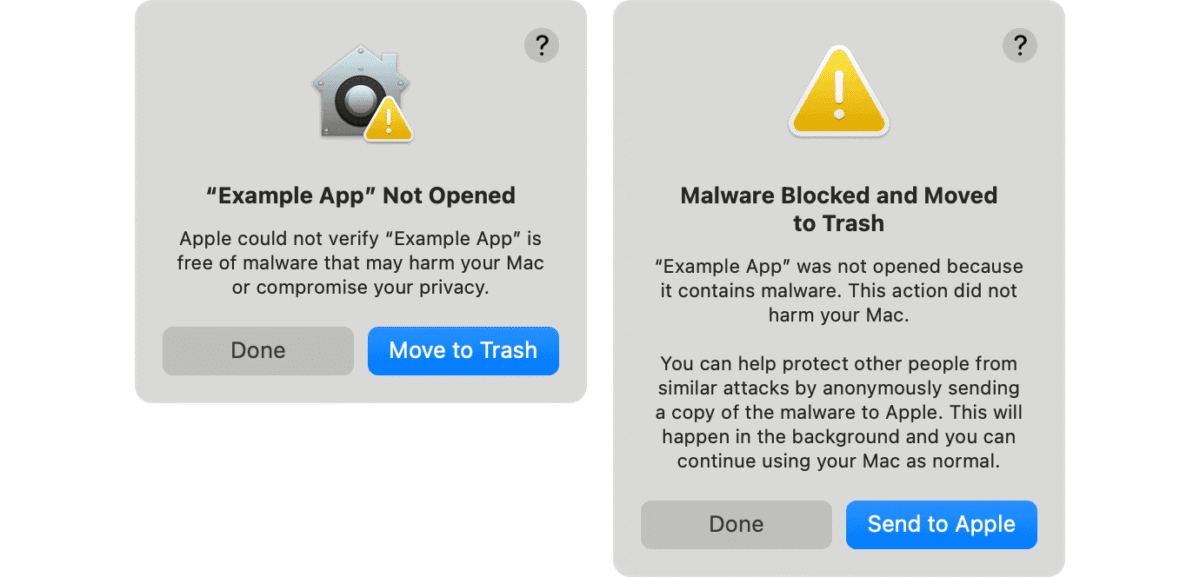
Back in 2018, the company introduced notarization for apps, a system that used developer code signing and automated scans to provide a slightly increased level of scrutiny and security. While you can run apps that aren’t notarized on your Mac, it’s become increasingly difficult to do so—on purpose.
That’s because as Apple gradually ratchets up its Mac security approach, it’s increasingly playing a game of Whac-a-Mole with malware makers and scammers who are trying to take advantage of Mac users. Adding notarization made it harder for users to install malware without taking additional steps, so scammers switched to social engineering, talking users through the process of bypassing the warnings for non-notarized software. Apple eventually made bypassing the warnings so onerous that most scammers moved on.
They generally moved on… to the Terminal, which is why macOS 26.4 introduced warnings about code being pasted into Terminal. Scammers were giving users long strings of mostly unreadable code to paste into Terminal to “fix” problems—and this code would, when entered, grant permission and download software. In 26.4, Apple looks for specific strings on the clipboard and blocks them with a warning—while also looking for the presence of various developer tools on the system as an indicator that the user is more sophisticated and therefore the blocking should be a bit more lenient. It’s a clever approach to spare confused novice users without getting in the way of more expert ones. (Malicious AppleScript scripts are also being checked these days. You can’t be too careful.)
Apple has also, over the years, increased Mac security by structuring the way macOS is stored on disk. Much of the operating system is stored on sealed volumes that are cryptographically signed, meaning they can’t be tampered with. System Integrity Protection prevents tampered OS versions from booting. Drivers have been moved into limited-access user areas, out of full-access admin areas. Admin users, who used to have ultimate power (without ultimate responsibility), are now more limited in what they can do.
A few years ago, I complained that Apple’s warning dialogs were out of control, especially when migrating to a new system. Since then, Apple has made a bunch of improvements, including honoring many older permissions choices when migrating. The security team seems to have also acknowledged that there are certain circumstances where installing a lot of software might not be as big a security threat. That’s why during the first 24 hours of setting up a new machine, Apple’s security warnings are now throttled.
Among other recent changes in macOS 26 updates are new background security improvements that allow Apple to install small updates in the background between normal system updates.
And as our own Glenn Fleishman reported last year, Apple began syncing FileVault keys via iCloud. What began as a gentle roll-out is now mandatory in macOS 26.4, where all users who are syncing FileVault keys will have them stored via this method.
The Mac is never going to be as secure as iOS, and that’s okay. That extra insecurity is the trade-off for the Mac being an open system, and that’s what makes the Mac special. In 2018, at WWDC, I watched as a representative of Apple’s security team stood on stage and promised that Apple would never prevent Mac users from running any code they wanted. He never promised it would always be easy, and it’s not—but that promise has been kept, and I get no sense that Apple envisions a world where it will ever be broken.
In the meantime, the good news: When you consider that the game of Whac-a-Mole has reached the “paste long strings of text into the Terminal” phase, it makes you wonder how desperate those scammers have gotten. Maybe after years of ratcheting up security, Apple’s made it just too hard to talk users into installing malware on their Macs. That has required a lot of extra effort that’s not necessary on the iOS side—and I’m glad Apple is making that effort to keep the Mac as safe as possible while it still remains open.