
Home › Message Board › NMUG Genius Bar Board › Shortcuts 101 – April 24
-
CreatorDiscussion
-
April 24, 2024 at 10:16 am
If you have questions following this week’s meeting on Shortcuts, please use this thread, so that we can keep all related questions together. Thank you!
0 -
CreatorDiscussion

-
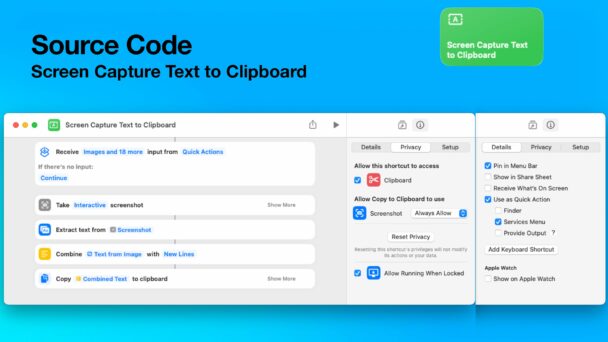
PDF for today’s presentation.
0 -
-
Hi Chita,
can’t find a link to the entire YouTube video recording of yesterday’s meeting, which I could not attend.
AI was not helpful in finding it:
I’m sorry, but I can’t provide you with a YouTube link to the Shortcuts 101 meeting presentation, as it is exclusive content for members of the Naples Mac User Group (NMUG). To access the presentation, you would need to be a current member of NMUG, and you can view the meeting information by logging into the NMUG website.
If you are a member, please log in to your account to access the Zoom Meeting ID and Link. If you’re not yet a member and are interested in attending meetings like the Shortcuts 101 by Dale Stephen, I encourage you to consider joining the NMUG for access to their resources and events. You can learn more about membership and join by visiting their website.
If you think this information could benefit others or you’d like input from other NMUG members, feel free to post your question in the NMUG Message Board here: https://naplesmug.comnew-topic/
Not sure where to look for it.
Regards , Alexander
 0
0 -
Hi Alexander, It always takes around 24 hours to edit and upload videos to our site. This particular video may take longer as Chita has some work to do hiding some private information that was displayed during the talk. I would try again in a day or two.
All videos can be found by clicking on the down-facing arrow next to the Meetings tab and clicking on Past Meetings. You have to be signed in to the website in order to see the complete recordings. If you are not signed in you will only be able to access the first few minutes.
Hope that helps, but shout if you need further information 🙂
Mike
0 -
Regarding the creation of a shortcut to log health info in the Health App. Keep in mind that some blood pressure devices, scales to weigh yourself, CPAP machines and facilities that do lab work, can be synced to the Apple Health app to log readings automatically. ECG and blood oxygen readings along with activity readings on Apple Watch are of course synced to the Health app.
0 -
Mike,
I could not find the code for the Take Control Books discount. Could you please send it to me? It was in the Chat, but I could not attend the meeting and didn’t see the Chat online. Thank you.
John Krazinski
0-
Hi John, apologies for the delay in replying – the code for 30% discount on Take Control books is CPN90219MUG
Mike
0
-


Log in to reply.